
Skip to content

Atomatrix logoAtomatrix Development
PLAYTIME LEVELS - Deluxe Menus Config
Read the Atomatrix documentationJoin the Atomatrix Discord for supportTry the Atomatrix test server before purchasing
NOTE: Please refer to the documentation before asking for support in the Discord Server.
(Buyers must verify their purchase to gain access to support)

INCREASE PLAYER ENGAGEMENT ON YOUR SERVER
Reward your most dedicated players and keep your community active with Atomatrix's Playtime Levels.
This progression-based system is designed to turn new joins into long-term players!

Why Choose This Configuration?

Retention is the backbone of any successful server. This setup gives your players a reason to stay logged in and a sense of accomplishment as they climb the ranks:
  • Massive Reward Tree: Includes 315 Levels spread across 15 organized pages.
  • Plug-and-Play Integration: Pre-configured to work instantly with Essentials Economy (Money), and PlayerPoints (Coins).
  • Total Customization: Every value, message, and reward is 100% customizable to fit your server's unique brand and economy.
  • Multi-Language Support: This configuration supports 26 languages without needing to purchase any other addons.
Spoiler: Languages Supported
English, Spanish, Italian, French, Russian, German, Arabic, Swedish, Portuguese, Polish, Turkish, Chinese, Indonesian, Vietnamese, Dutch, Korean, Czech, Thai, Hungarian, Japanese, Ukrainian, Danish, Romanian, Slovak, Hebrew, Lithuanian.

100% Flexible

While this config has been created for most popular plugins, every server is different. Using find & replace in a text editor, you can swap out the currency requirements for any plugin of your choice in seconds.

Expansive Version Support

This config supports all versions from 1.17 all the way to the latest version!

Placeholder Support

Show a player's current level in any other place on your server with placeholder support!

Console Logging

Every single reward redemption can be captured and logged directly to your console! (Requires ConsoleLogger)
TEST SERVER
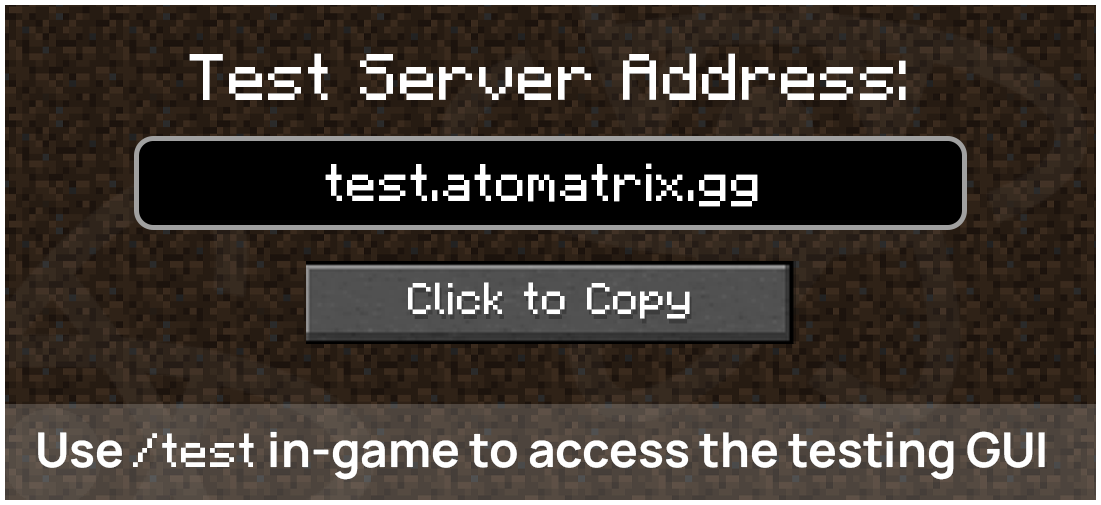
The Test Server for this config can be accessed by joining the server using the IP test.atomatrix.gg.

Test server: test.atomatrix.gg. Use /test in-game to open the testing menu.
Version: 1.17+

SHOWCASE VIDEO
Check out the Playtime Levels configuration with this showcase video!
Open on youtube


MENU OVERVIEW

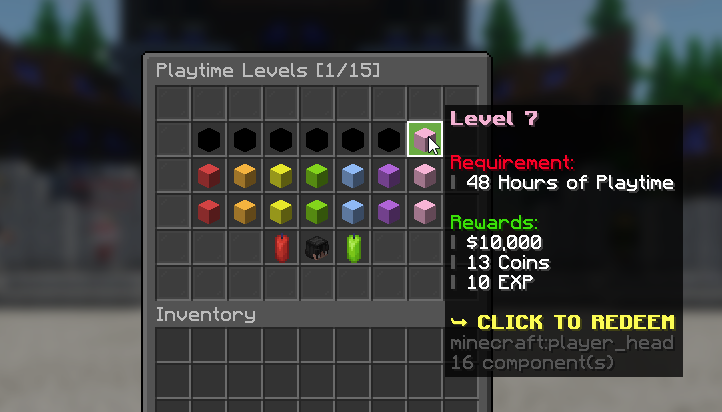
Playtime Levels menu showing the playtime requirement and rewards for level 7

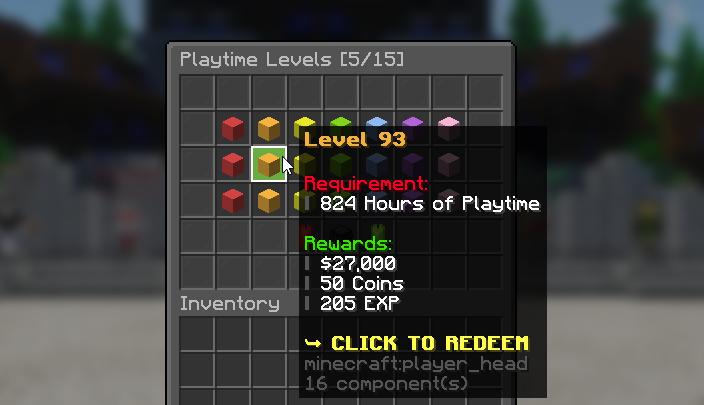
Playtime Levels menu showing the playtime requirement and rewards for level 93

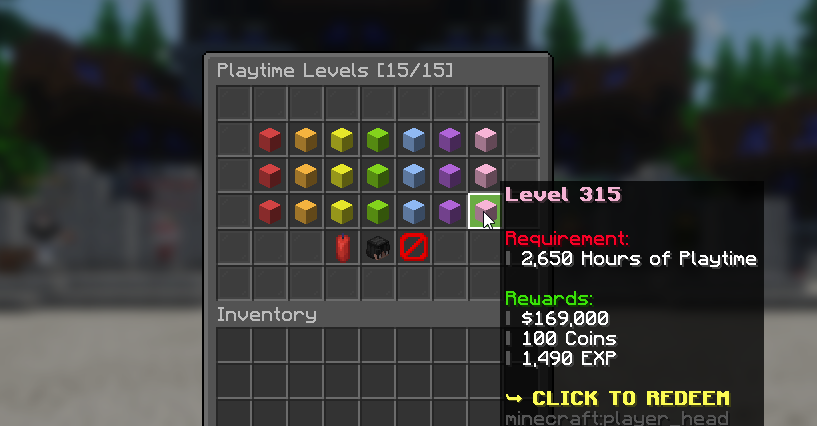
Playtime Levels menu showing the playtime requirement and rewards for level 315

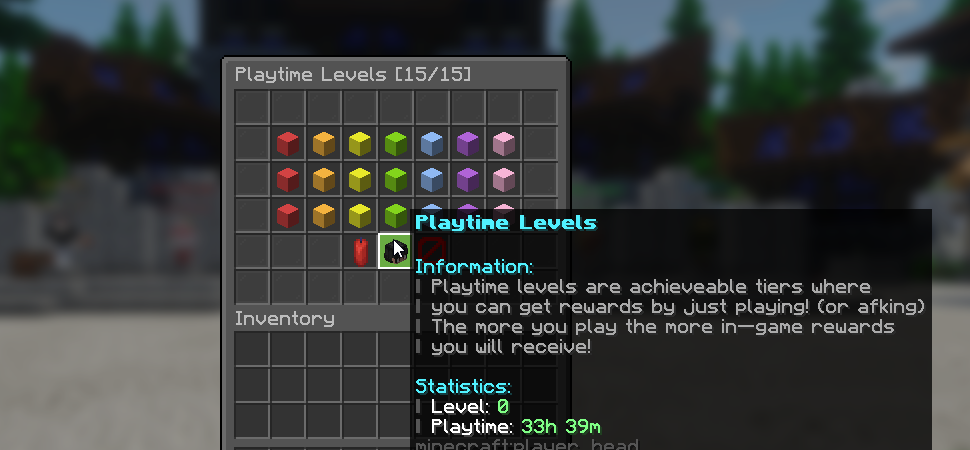
Playtime Levels menu with information about earning rewards through playtime

CONFIG COMPARISON
Compare this configuration with others on the market below. This table compares specific features and the prices of each config.
Some other products are cheaper, but I believe this config offers the most features for the best price out of those available on BuiltByBit.
Creator
Atomatrix
NitroSetups
Thunder Studio
v0idPlus
Price
$7
$8
$3
$10
Levels Available
315 Levels
120 Levels
56 Levels
55 Levels
Maximum Hours
2,650 Hours
1,000 Hours
2,250 Hours
880 Hours
Native Leaderboard Item
YES
NO
NO
NO
Placeholder Support
YES
NO
NO
NO
Console Logging
YES
NO
NO
NO

WARNING: The chart above is correct to the best of my knowledge. Please contact me if any changes should be made.

SUPPORT FORUM
Priority support for every customer with typical reply times of under an hour.

Atomatrix Development
atomatrix.gg - Premium Minecraft Resources
All links to any free-use content in this resource can be found here.

(By purchasing this resource, you automatically agree to the Terms and Conditions)

Loyalty Points

What are Loyalty Points?

Loyalty Points can be used to redeem FREE Products! Here's how to earn them!

Purchasing a product on this store:

When purchasing on Atomatrix Store (as opposed to other stores), you'll earn 1 Point per $0.05 spent. Just make sure you're in the Discord Server before making a purchase. (Points may take up to 12 hours to appear)

Providing support in the Support Forum

When a support post is locked, if you are the main support agent, loyalty points will be granted based on the length and complexity of the problem.

How do I spend Loyalty Points?

Spend your Loyalty Points in the Discord Server by using the "/shop" command! You can see how much each resource costs with Loyalty Points on their product pages!