Simple Prestiges Installation
Video Tutorial
If you'd rather watch a YouTube video for details on how to set up this config, you can do so using the video below. Otherwise, continue reading this page.
1. Extract & Find the Folder
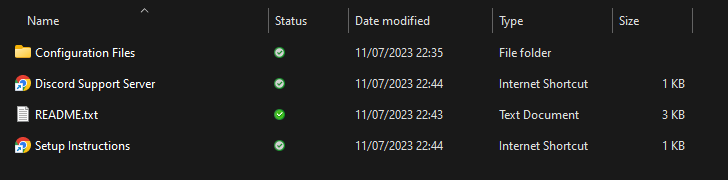
Extract the downloaded .zip file and locate the folder named "Configuration Files"
2. Install Dependencies
Download DeluxeMenus, LifestealCore, PlaceholderAPI and ConsoleLogger. Copy the jar files into your plugin folder.
You will need some plugins for this config to function properly. Download the following files and add them to your /plugins folder.
The plugins required are: LifestealCore [Premium], DeluxeMenus, PlaceholderAPI and ConsoleLogger
Required Plugin Downloads
Open the download list and download each required plugin. Upload the JARs directly to your server's /plugins folder; do not extract them. If a required plugin is already installed, check its compatibility before replacing it.
LifestealCore (Premium)
LifestealCore is required separately and is not included in the download list above. Purchase it through the publisher, then upload its JAR to /plugins.
3. Installing the config
If you have installed DeluxeMenus for the first time, drag the contents of the DeluxeMenus folder into the /plugins folder of your server. You can then restart your server and move on to the next step.
If you already have DeluxeMenus running other GUIs on your server, you will need to copy the menu separately.
Open /plugins/DeluxeMenus/gui_menus in the Simple Prestiges resource folder and copy the YML file. Upload this to the /plugins/DeluxeMenus/gui_menus folder in your server host.
Navigate to /plugins/DeluxeMenus/config.yml in your server host. Open the file and add the following to the bottom of the file:
  prestige:
    file: prestige.yml
You can now reload DeluxeMenus with /dm reload and continue.
4. Final Setup
Make sure you have downloaded the Player expansion with the command:
/papi ecloud download Player
Once you have run this command, reload PlaceholderAPI with /papi reload.
The config is built to work with LifestealCore. If your server uses a different plugin (assuming you can set a user's maximum hearts), you'll have to change the commands in the file (but this can be done quickly with FIND and REPLACE).
You are now finished with the setup of the config. If you would like to know some extra useful information on it, read more.
5. Extra Information
For more information on this config, read the Extra Information page.