

Version 1.1.2
LatestMar 16, 2025
- Updated the vote links message to make the links clickable.
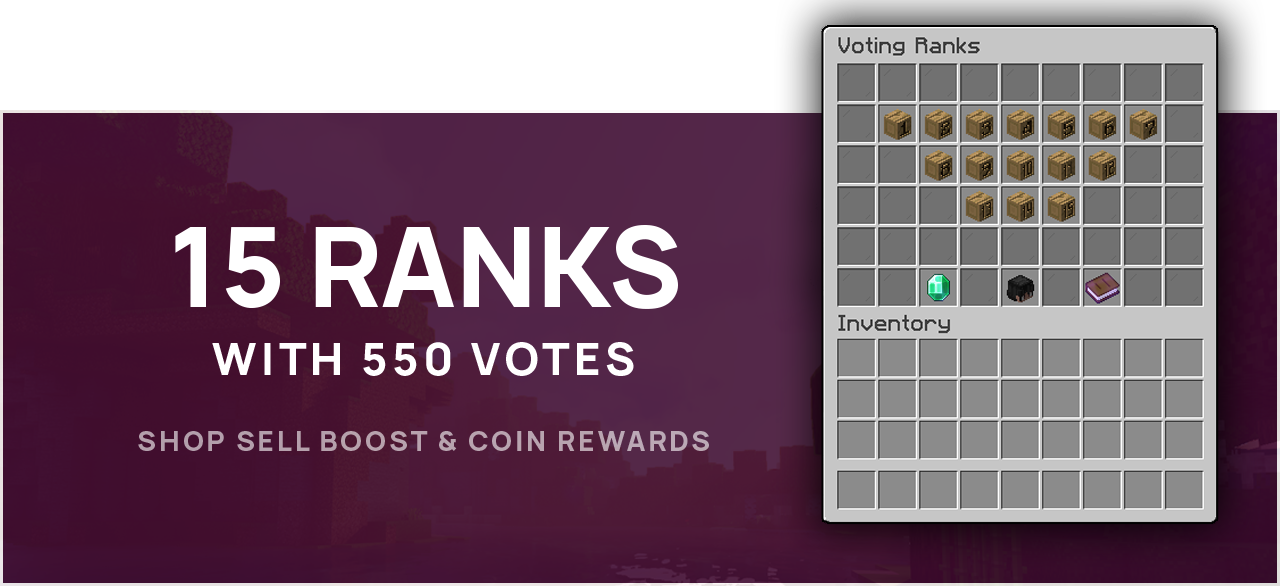


test.atomatrix.gg (1.16+)



These resources must be downloaded for the setup to function properly: * = Soft Depend (Not 100% needed & commands can be replaced)
 Earn 1 Point per $0.05 spent!
Mar 16, 2025
Sep 11, 2024
Aug 23, 2024
Initial release
Showing 3 of 3 updates
 samuraicjx
This guy works so had on his configurations and they are the best I have ever seen, if he made 100 more like them I'll most likely buy them as soon as possible! configurations are very up to date and won't disappoint.
| Platform | Minecraft Java Edition; check the listing for Bedrock via Geyser support |
|---|---|
| Native server software | Check the product description for Paper and other software compatibility |
| Server version | See the product description for supported Minecraft versions |
| Minimum RAM | See the product description; ask support if no RAM requirement is listed |
| Paid dependencies | These resources must be downloaded for the setup to function properly: \ = Soft Depend (Not 100% needed & commands can be replaced) - DeluxeMenus - Download here - RocketPlaceholders - Download here - jShader - Download here - Voting Plugin - Download here - PlaceholderAPI (and "Player" Extension) - Download here - Luckperms - Download here - Clickable Links - Download here (To enable vote links to be clickable in 1.19.1+) - \ ShopGUIPlus or EconomyShopGUI - Download here or Download here - \ PlayerPoints (Coin Rewards) - Download here - \ ConsoleLogger (If you wish to use logs for reward redemptions) - Download here Earn 1 Point per $0.05 spent! You MUST join the Discord Server BEFORE purchasing in order to recieve points! |
| Delivery | Available in your account after purchase |
Compare the listing and delivery terms wherever you buy. Product content, compatibility and included licences are defined by the individual listing.
| What to check | Atomatrix direct store | BuiltByBit / Polymart |
|---|---|---|
| Purchase and downloads | Manage purchases in your Atomatrix account. | Check the marketplace account and delivery terms. |
| Product support | Direct Discord support through the store’s support link. | Check the seller’s support instructions. |
| Dependencies and customisation | Check this product’s dependencies and included instructions. | Check the specific listing and included instructions. |
| Loyalty programme | Eligibility and point delivery follow the Discord programme. | Check the seller’s programme and purchase eligibility. |
Use the product description and Dependencies tab to check what is supplied. A configuration does not automatically include a licence for the plugin it configures.
Install the supported DeluxeMenus version and any listed dependencies, back up your existing files, then follow the product instructions for copying and adapting the configuration.
Compare your Minecraft and plugin versions with the listing. Ask Discord support about versions or Geyser compatibility that are not explicitly documented.